 sobi
Capture the moment
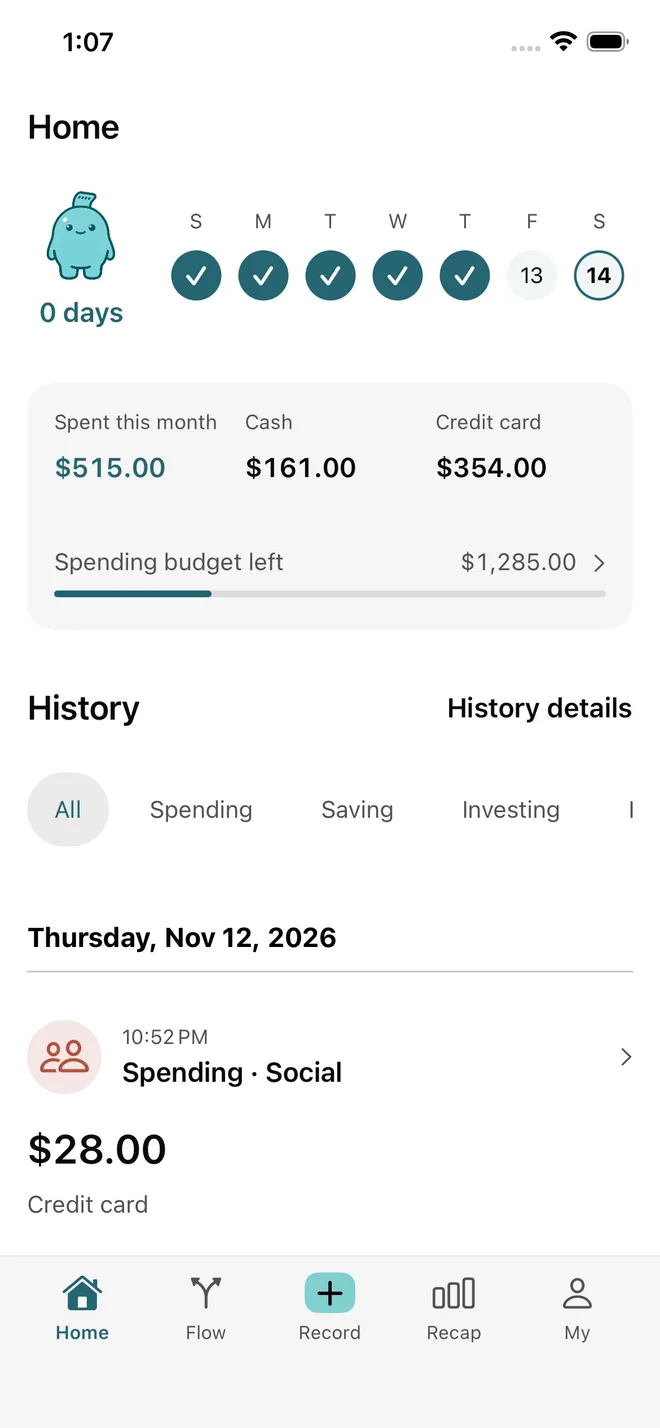
Enter an amount and category, then add a photo, note or reason. Keep income, savings and investment entries separate.
✳SMALL ENTRIES. MORE INTENTIONAL SPENDING.
From your daily coffee to savings for tomorrow. Meet sobi, the expense tracker that connects your everyday entries into one clear money flow.
iPhone · Free download · In-app purchases

LESS FRICTION. MORE CLARITY.
Enter an amount and category, then add a photo, note or reason. Keep income, savings and investment entries separate.
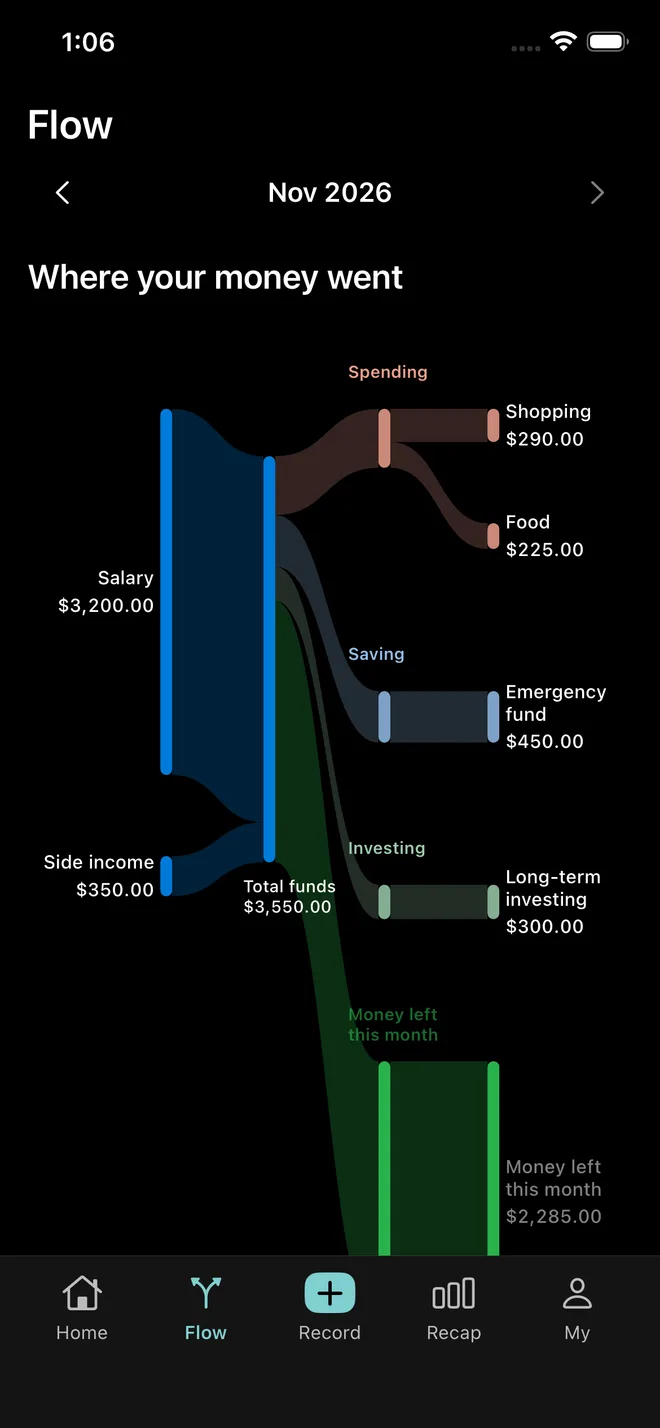
Follow income into spending, savings and investments. See where your money went, based on what you recorded.
Weekly, monthly and yearly recaps reveal changes in your spending. Use category reports to choose a habit to adjust next month.
FOLLOW YOUR MONEY
A single spending total only tells part of the story. Separate expenses, savings and investments to see your choices more clearly.
Savings and investments show recorded net contributions, not live account balances or investment returns.
Read guideTHE SOBI GUIDE
From your first entry to your monthly review. Start with the guide that fits your day.
Start with the amount, category and date. Build a simple daily expense tracking habit and review your first week without chasing perfect records.
Read guideMonthly budgetingUse your previous expenses to set a monthly spending budget. Keep living costs separate from savings and review your progress each week.
Read guideInstallment trackingUnderstand the difference between a purchase total and monthly installments. Learn how sobi records installments and how manual payment checkoffs differ.
Read guideSpending insightsReview totals, category shares and the reasons behind purchases. Compare equal periods to get a clearer picture of your everyday spending.
Read guideNo. You can start by entering income and expenses yourself. Recorded payment methods and amounts do not retrieve actual bank balances or card statements.
The app is free to download with basic recording features. Some additional reports and export options require Premium. Check the subscription screen in the app for current features and prices.
They are stored on your device. Automatic sync between devices is not supported. JSON backup and restore can preserve records, but photo files are not included and need to be saved separately.
No. Installments created from expense entry are reflected in your records when the app runs or becomes active. sobi does not execute payments or bank transfers. Items added directly in management use manual payment checkoffs.
An expense tracker you want to come back to.
Download on the App StoreiPhone · Free download · In-app purchases